
Best SaaS Testing Tools in 2026: From Automation to AI

• 16 min
I'm a content specialist at Fively keen on writing fresh articles that can help out business and tech specialists. I love to conduct research, hold interviews, and spotlight sophisticated tech issues.
Explore the best SaaS testing tools of 2026, their features, benefits, and best practices to choose the right solutions and deliver faster, smarter, and more reliable software.
Let’s be honest: in 2026, shipping software without the use of the right testing tools is professional suicide. Users won’t tolerate buggy apps, investors won’t back unreliable platforms, and competitors are already automating their QA to move faster and smarter. The old ways of manual testing and clunky frameworks? Dead.
The future of SaaS quality assurance is codeless, cloud-native, and AI-powered. Testing isn’t just about finding bugs anymore — it’s about predicting failures before they happen, scaling with your business overnight, and giving users an experience so seamless they forget glitches ever existed.
This article cuts through the noise and shows you the best SaaS testing tools of 2026 — the ones separating winners from the companies left scrambling with broken releases and angry users. Are you interested? Let’s go!
Summary
This article is a complete guide to the best SaaS testing tools in 2026, showing how QA teams can pick the right solutions to streamline and scale their testing:
- In-Depth Tool Overviews – detailed reviews of leading platforms such as Katalon, BrowserStack, Selenium, Appium, TestGrid, QA Wolf, Cypress, and BugBug, plus additional tools like TestMonitor, JMeter, Postman, LoadRunner, OWASP ZAP, and Jira.
- How to Choose the Right Tool – practical criteria including test coverage, scalability, ease of use, budget, support, and testimonials.
- Must-Have Features – automation, cross-browser and cross-platform testing, real device coverage, integrations, codeless testing, and AI-powered insights.
- Key Benefits – time savings, enhanced collaboration, scalability, flexibility, and cost efficiency that SaaS testing tools bring to QA teams.
- Best Practices – actionable practices for SaaS application testing and answers to common questions about methodologies, test types, and approaches.
Our goal is simple: to help you cut through the noise and choose solutions that make testing faster, smarter, and stress-free.
Best SaaS Testing Tools Reviews
So, without long introductions, here’s our top list of SaaS testing tools you can count on in 2026 and beyond:
Katalon
Price: Offers a free version for basic use; enterprise/licensed editions for advanced features. Pricing tiers vary based on test scale, team size, and features.
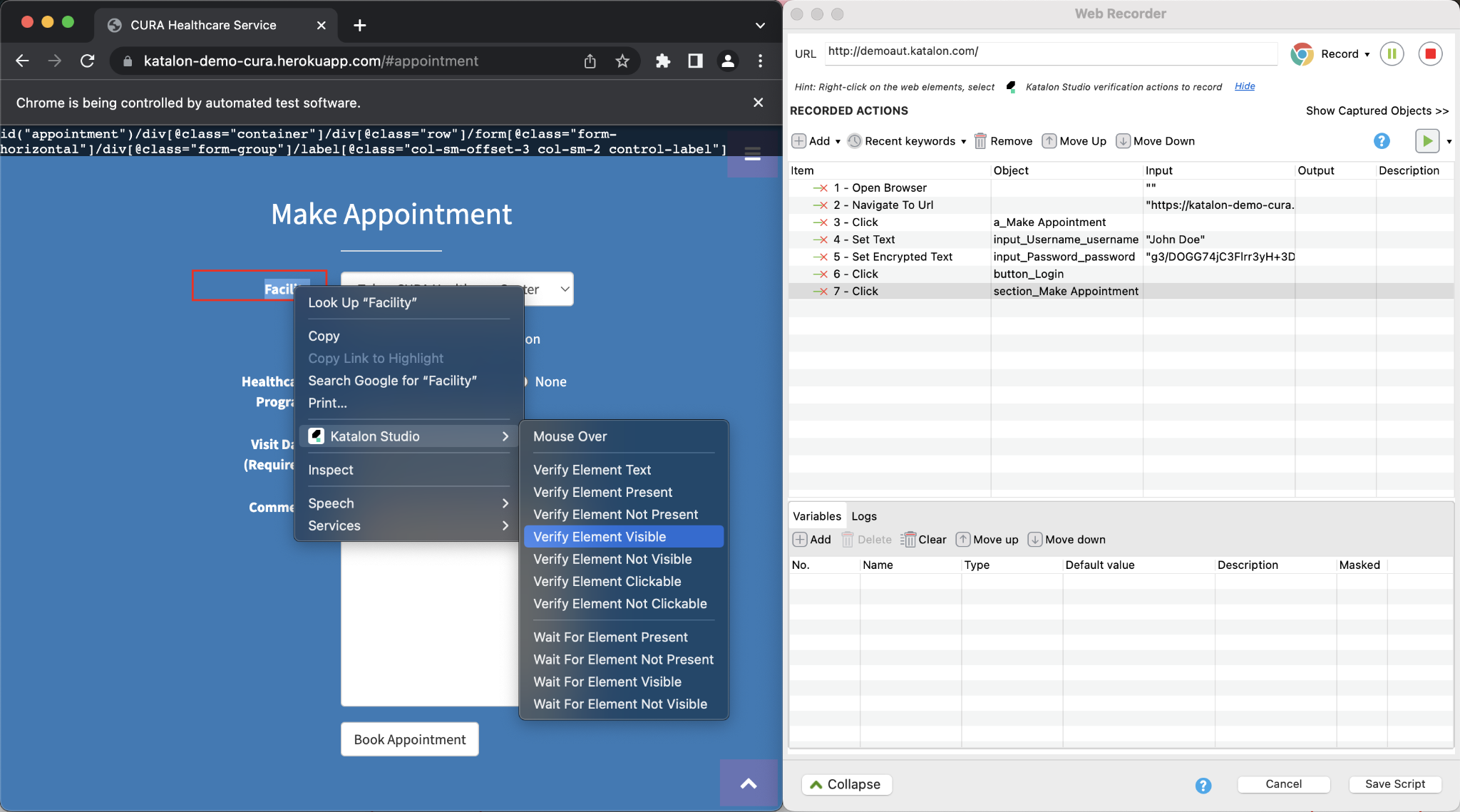
Katalon is a versatile automation platform that supports web, mobile, API, and even desktop testing. It provides both no-code/low-code interfaces for beginners and advanced scripting capabilities in Groovy or Java for experienced testers. This flexibility makes Katalon a strong choice for teams that need one unified tool to cover multiple testing layers.
Key Features:
- Visual & functional testing combined, with visual regression tools in TestOps (pixel/layout/content-based comparison).
- Supports scripting for advanced users; also has record/playback and keyword-driven approaches.
- Integrations with CI/CD, test management tools, and multiple platforms (web, mobile, API).
Limitations:
- As complexity grows (large tests, many environments), setup and resource usage can become heavy.
- Visual testing may face “flakiness” if UI rendering is inconsistent.
- The free version is limited; advanced or enterprise features are locked behind paid plans.
Why We Choose It:
Katalon is ideal for teams who want a scalable bridge between no-code simplicity and script-based power. It offers mature feature depth and flexibility while still being approachable for testers who are less technical.
BrowserStack
Price: Subscription-based; pricing depends on the number of users, devices/browsers tested, automated or manual testing; free trials, and special open-source / student plans.
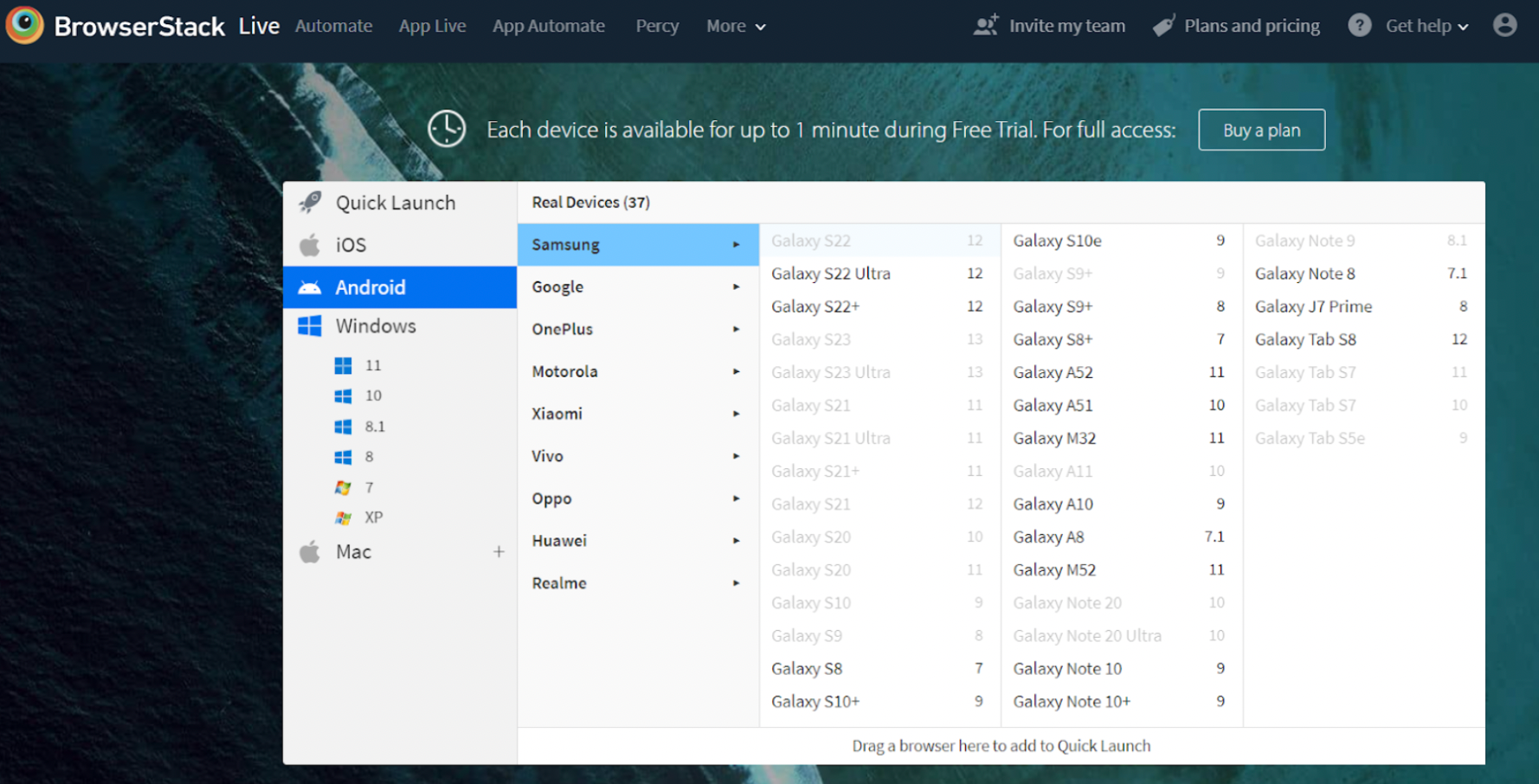
BrowserStack is a cloud-based testing platform that gives teams access to thousands of real devices and browser combinations. By eliminating the need to maintain physical device labs, it drastically cuts down infrastructure costs and complexity. Its ability to support manual and automated tests across platforms makes it a go-to solution for cross-browser and mobile compatibility testing.
Key Features:
- Real devices + browsers hosted in the cloud (mobile & desktop) for manual and automated testing.
- Extensive device/browser combos, support for local and staging sites via tunneling.
- Visual testing (with Percy integration), debugging, and real-time interactions.
Limitations:
- Can be expensive for smaller teams or heavy usage due to device usage/time.
- Latency or responsiveness issues when using remote devices, depending on network.
- Test management features are still evolving; may lack advanced traceability or rich test planning compared to dedicated test management tools.
Why We Choose It:
BrowserStack is a go-to for compatibility testing across devices & browsers. If ensuring consistent UI/UX across platforms (especially mobile) is critical, its real-device cloud + wide coverage make it hard to beat.
Selenium
Price: Free (open-source under Apache License 2.0)
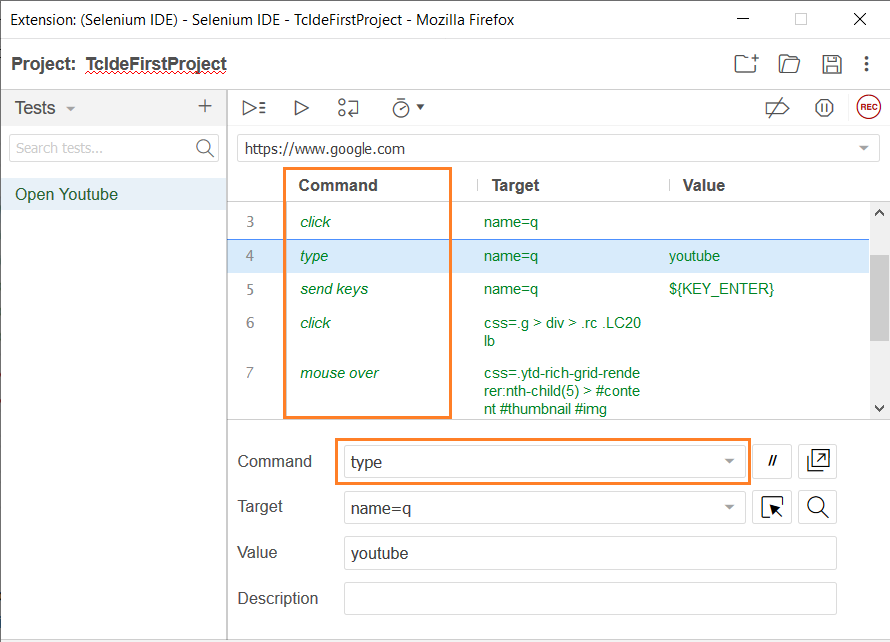
Selenium is one of the most widely used open-source frameworks for automating web application tests. It supports multiple programming languages and browsers, making it a highly flexible option for technical QA teams. With deep community support and extensive integrations, Selenium remains the backbone of many enterprise testing setups.
Key Features:
- Supports many browsers (Chrome, Firefox, Safari, Edge, etc.) and OS platforms.
- Wide language support (Java, Python, C#, Ruby, JavaScript, etc.).
- Integration with frameworks like TestNG, JUnit, etc.
- Ability to run tests in parallel using Selenium Grid.
Limitations:
- Steep learning curve for newcomers; requires programming skills.
- Maintenance of tests and infrastructure (especially with complex DOMs or flaky elements) can be labor-intensive.
- No built-in AI or self-healing; manual fixes needed when UIs change.
Why We Choose It:
Because of its maturity, flexibility, and broad adoption, Selenium remains indispensable for projects needing max control over browser automation and when you’re dealing with complex workflows or legacy systems.
Appium
Price: Free (open-source)
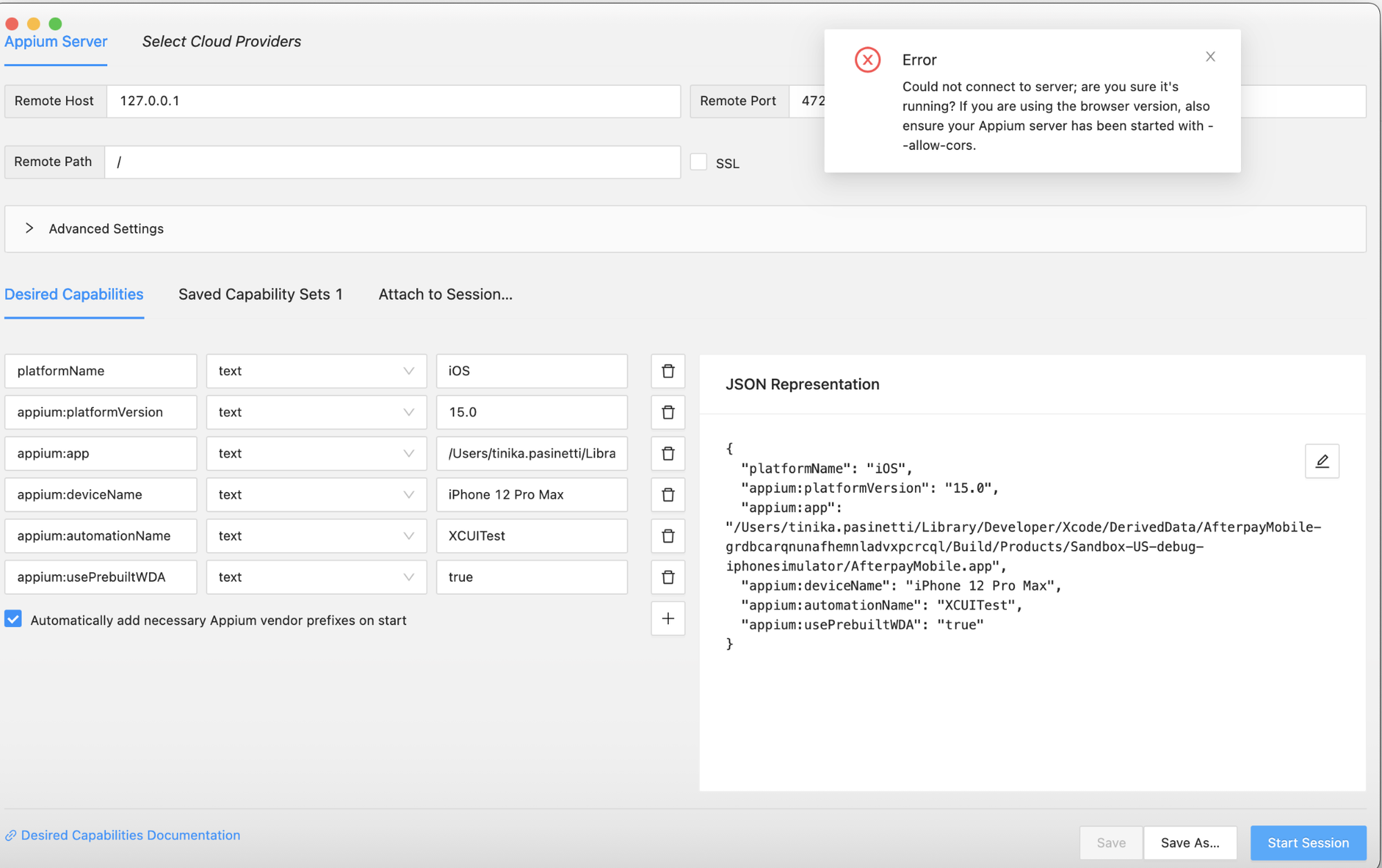
Appium is an open-source test automation framework focused on mobile applications, including native, hybrid, and mobile web apps. Built on the WebDriver protocol, it allows testers to write tests in their preferred programming languages. Its ability to work across iOS and Android platforms makes it essential for teams targeting cross-platform mobile coverage.
Key Features:
- Cross-platform support (iOS, Android, hybrid apps).
- Ability to work with many languages and testing frameworks, which gives flexibility.
- Use with real devices, emulators, and simulators.
Limitations:
- Performance can lag behind more optimized mobile testing solutions.
- Setup and environment configuration can be complex, especially across OS versions.
- Mobile-specific UI quirks and platform discrepancies (gestures, animations, etc.) can cause flakiness.
Why We Choose It:
If your product includes mobile (native/hybrid) apps, Appium gives you the best way to have unified automation across platforms, all without being locked into a single vendor.
TestGrid
Price: Varies by plan; offers free trials; pricing scales with usage/test coverage.
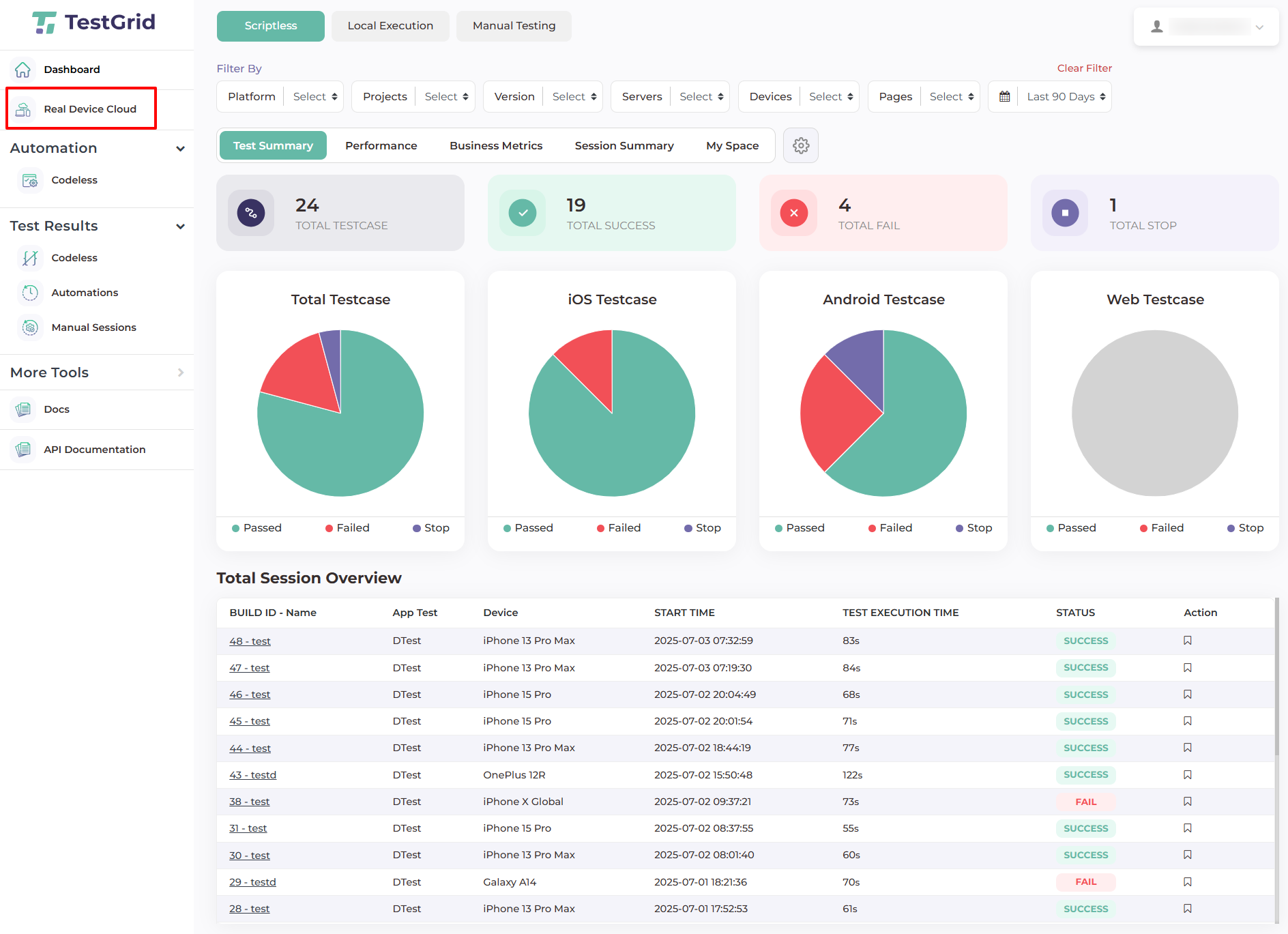
TestGrid is a cloud-based test execution platform designed to streamline testing on real devices and browsers. It integrates seamlessly with tools like Selenium, Appium, and Cypress, while adding features like AI-driven auto-healing and collaborative test management. For teams that want scalability without the overhead of maintaining infrastructure, TestGrid delivers efficiency and speed.
Key Features:
- Support for multiple automation frameworks (Selenium, Appium, Cypress).
- Real-device and browser/cloud-device testing.
- Test data and cases management, collaboration tools.
- AI auto-healing of tests (fix broken selectors / adjust to UI changes).
Limitations:
- Cost can increase significantly for large scale automated tests or many parallel runs.
- Dependent on network latency when using cloud/browser grid.
- Some advanced customization or very edge-case scenarios might still need manual scripting.
Why We Choose It:
TestGrid offers a compelling bridge between full control and ease: great when you want scalability + collaboration + reduced maintenance. For teams wanting to level up without reinventing the wheel, it’s a strong pick.
QA Wolf
Price: Custom pricing; Free trial available. (Pricing upon request)
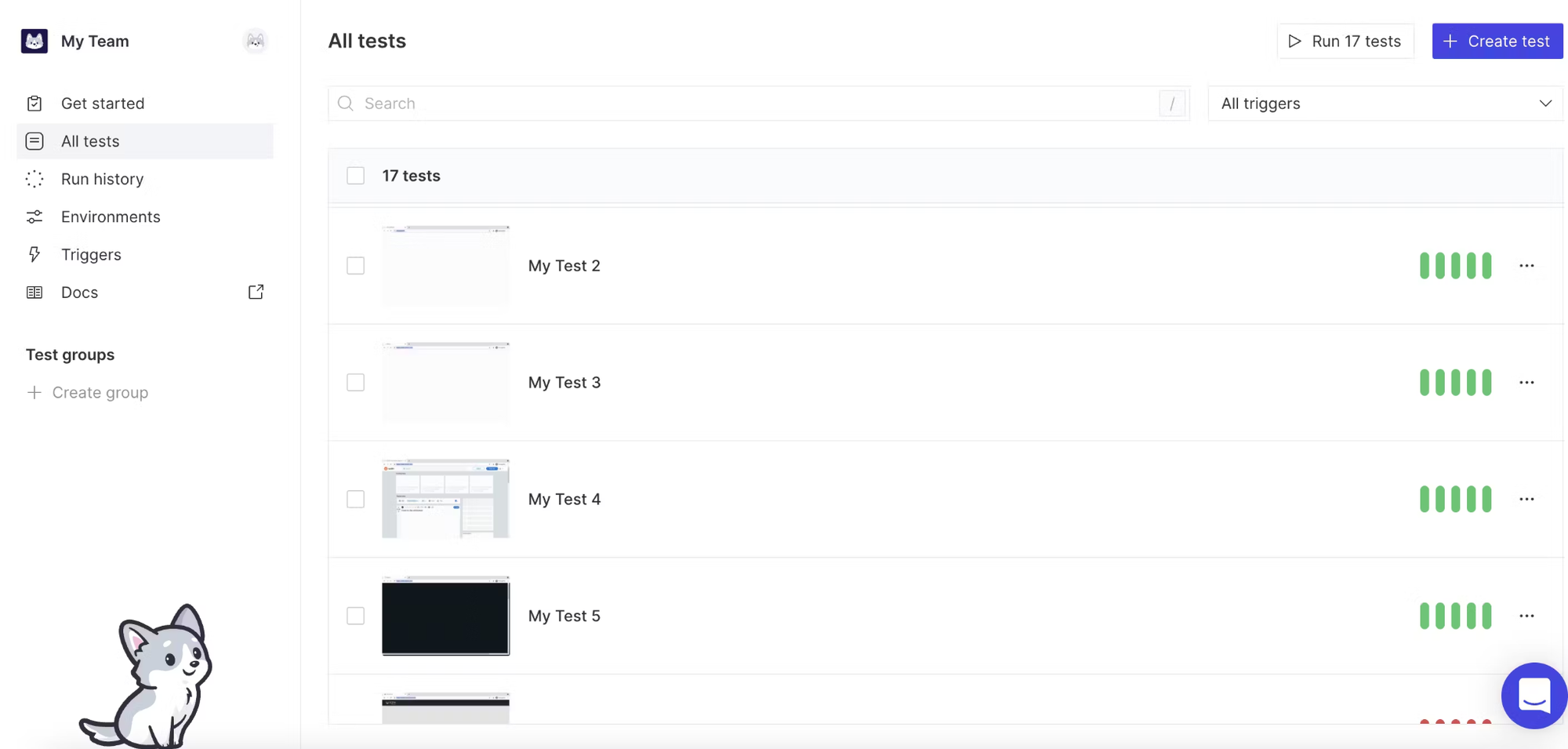
QA Wolf is a hybrid platform-service that helps teams achieve fast, end-to-end test automation for web and mobile apps. Built on open-source Playwright, it offers unlimited parallel test runs, human-reviewed maintenance, and guaranteed high coverage. It’s particularly valuable for startups and scale-ups looking to outsource the heavy lifting of test automation while retaining flexibility.
Key Features:
- ~80% automated E2E test coverage in 4 months for many user flows, including edge cases.
- Unlimited parallel test runs, helping reduce feedback times to minutes.
- Zero-flake guarantee: human QA engineers review failures to filter out false positives or flaky tests.
- Integrations with CI/CD, issue tracking, and deployment pipelines; ownership of test code (open source Playwright) ensures no vendor lock-in.
Limitations:
- Pricing is not transparent; enterprises may need to contact sales to get customized quotes.
- Might be overkill for very small apps or teams needing only basic test automation, given its full-coverage ambition.
- Since many tests are expected, the setup and maintenance of test flows, especially across many features, can still require significant planning.
Why We Choose It:
QA Wolf stands out because it offers a strong blend of high coverage, minimal flakiness, and ownership. For teams that want to move fast but maintain quality, it reduces the burden of QA maintenance and speeds up deployment confidence.
Cypress
Price: Free & paid plans; pricing scales by team size, feature set, and parallelization. (Exact pricing depends on usage)
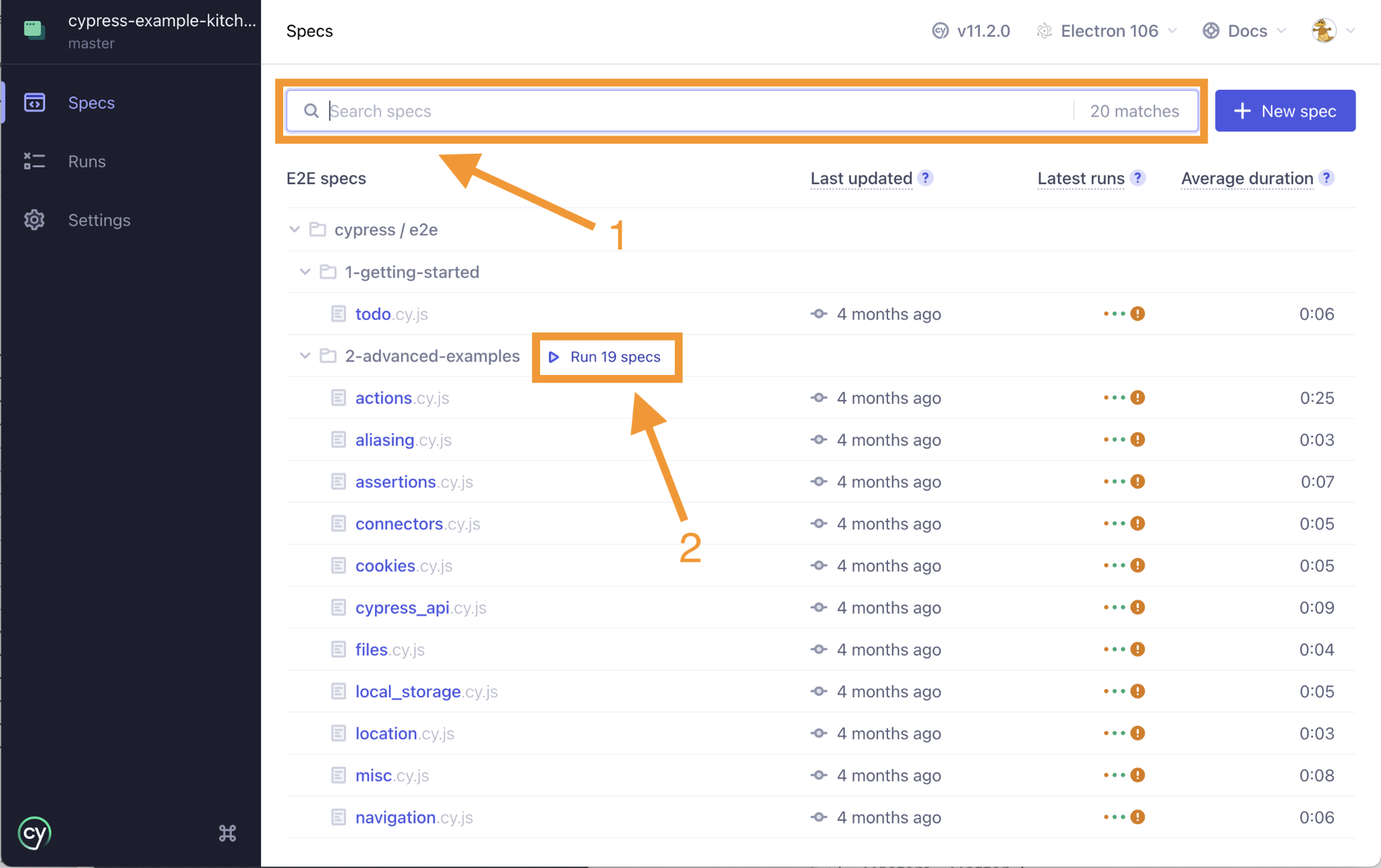
Cypress is a JavaScript-based testing framework built for modern web applications. It offers a rich developer experience with features like time-travel debugging, live reloading, and deep integration into CI/CD pipelines. Known for its speed and clarity, Cypress is a favorite among front-end developers who need reliable, end-to-end test coverage.
Key Features:
- Fast, reliable local test runs with time travel debugging (ability to pause and inspect state at moments in test runs).
- Dashboard service for test result analytics, parallelization, and CI/CD integration.
- Strong community, plugins, and good support for modern JS frameworks (React, Vue, Angular) and component testing.
Limitations:
- Limited mobile browser support; it's primarily desktop/web-focused.
- Scaling large numbers of tests in CI with high parallelization may become pricey.
- Some features (network stubbing, cross-browser testing) may require additional setup or plugins.
Why We Choose It:
Cypress is great when you want fast feedback loops and developer friendliness. It helps you catch bugs earlier with local runs, excellent debugging tools, and solid integrations. For web SaaS apps, it’s often a first stop for many teams.
BugBug
Price: Free plan with basic local runs; paid plans for cloud test runs, CI/CD integration, parallel executions, etc.
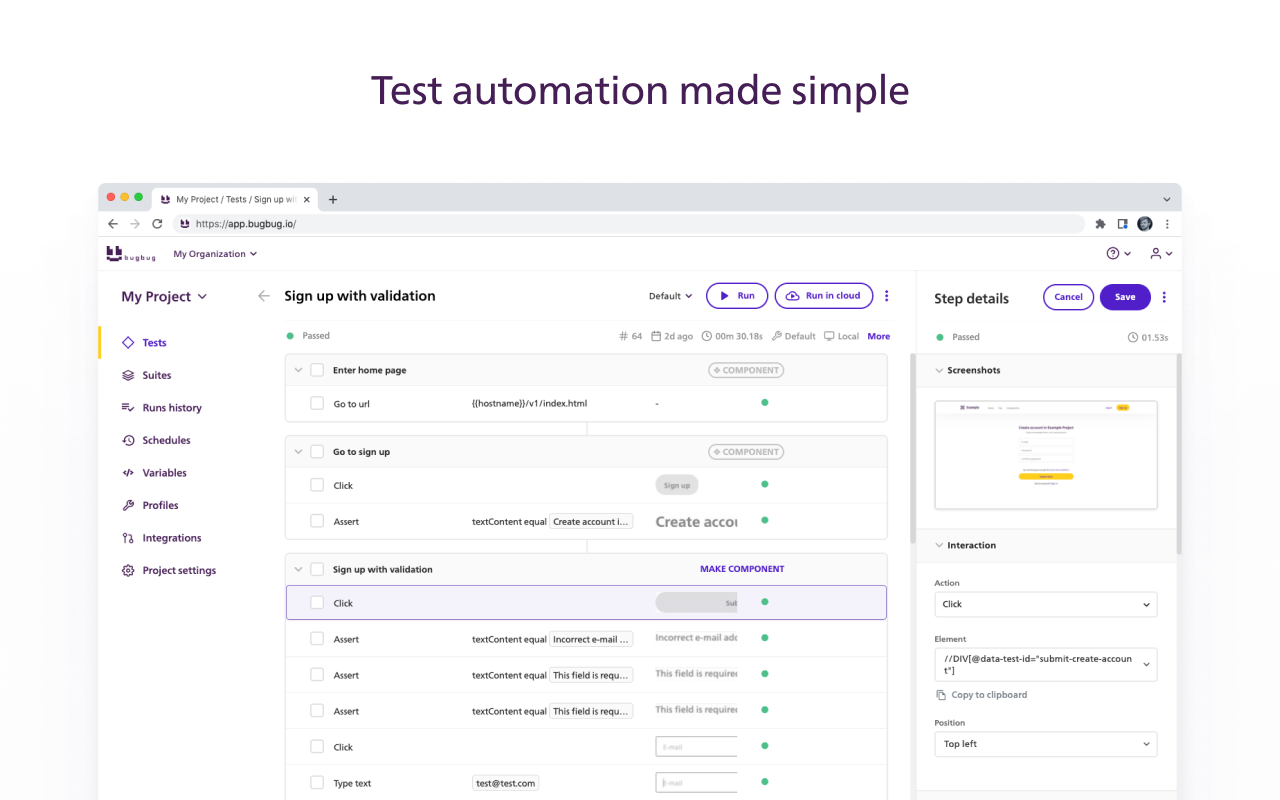
BugBug is a low-code/codeless automation tool tailored for fast, accessible web testing. Its Chrome-based recorder makes it simple for non-technical team members to create tests, while still offering advanced options like custom scripts and CI/CD integration. By balancing simplicity with flexibility, BugBug helps smaller teams quickly achieve regression coverage without large QA investments.
Key Features:
- No-code test recorder (via Chrome extension), allowing users to record actions in the browser.
- Advanced customization: reusable components, custom JavaScript steps, variables, and conditional flows.
- Unlimited local test runs for free; cloud execution, CI/CD integration, and team collaboration are available in paid tiers.
- Parallel cloud test runs, smart waiting, elements auto-selection, and good debugging tools.
Limitations:
- Test execution speed may depend on the complexity of test cases and network latency when using cloud runs.
- For very large, complex web apps, managing many shared components or maintaining lots of custom logic may still require effort.
- Some features (e.g., very advanced mobile simulation or native app flows) are less prominent.
Why We Choose It:
BugBug delivers a solid balance of ease of use for non-technical teams and enough power for advanced testers. It’s especially valuable when you want to get regression coverage fast, with minimal upfront investment and coding.
Other SaaS Testing Tools
There are dozens of tools out there beyond the big names — each with particular strengths depending on whether you need test management, performance/load testing, API/debugging tools, or security testing. Below are brief overviews of some additional tools to consider for your QA stack, especially if you want to round out coverage in areas not handled by your primary tools.
TestMonitor
TestMonitor is a SaaS-based test management platform focused on simplifying the testing process for teams of all sizes. Its strengths are in its clean, intuitive interface, strong integrations with tools like Jira and Azure DevOps, and good support for requirements traceability and audit trails.
Limitations include less emphasis on built-in automation execution (you’ll often need external tools for that), and for very large or deeply technical load/performance testing, it may not be sufficient on its own.
JMeter
Apache JMeter is an open-source tool primarily used for load, performance, and stress testing of web applications, APIs, and backend services. It supports a wide variety of protocols (HTTP, REST, SOAP, JDBC, etc.), can simulate many concurrent users, and provides detailed metrics on response times, throughput, errors, etc.
On the downside, setting up complex tests or tuning for accurate throughput can be non-trivial; metrics interpretation requires care; GUI can be a bit clunky for beginners.
Postman
It is a popular API development and testing tool, with strong GUI support for crafting, sending, and validating HTTP/REST requests, collections (grouped tests), and environment management.
However, it’s less suited for heavy performance or load stress testing out of the box; large scale/high concurrency scenarios might need to shift to tools like JMeter or LoadRunner for those.
LoadRunner
LoadRunner (by Micro Focus) is a mature tool for performance, load, and stress testing large systems with many virtual users. It simulates real-user activity across a wide variety of protocols and provides detailed performance metrics for bottleneck identification.
At the same time, it can be costly, more complex to set up and maintain, and often overkill for smaller teams or simpler applications that don’t demand massive load testing.
OWASP ZAP
OWASP ZAP (Zed Attack Proxy) is an open-source tool focused on security testing — especially vulnerability scanning and pen-testing for web applications. It acts as a proxy between application and browser to inject attacks, check for common vulnerabilities like XSS, SQL injection, CSRF, etc.
But its usability may require some learning, and automated findings still need expert review (false positives are common), so it’s better as a security supplement rather than a full-QA tool on its own.
Jira
While not a testing tool per se, Jira is broadly used by QA and software development teams to track issues, manage test cycles, integrate test and defect workflows, and coordinate releases. It integrates with many test tools so you can centralize bug reporting, track test results, and link issues to requirements or test cases.
Limitations: it's not for executing tests directly (you’ll still need other tools for automation, performance, etc.), and setting up robust dashboards and integrations takes time and upkeep.
 Services Account
How to Choose SaaS Testing Tools
Choosing the right tool is about finding a balance between your testing needs, the tool’s coverage, scalability, usability, cost, support, and proven results. A tool that aligns with your team’s skills and business goals will not just catch bugs — it will help you release faster, smarter, and with greater confidence. Here’s what to pay attention to while choosing the right tool:
Must-Have Features of SaaS Tools for Test Automation
Automated Testing
Automation is the backbone of modern QA. SaaS testing tools must support automated execution of repetitive test cases to save time, reduce human error, and allow teams to focus on exploratory and high-value end-to-end and integration testing.
Cross Browser Testing
Your users won’t all be on Chrome. Tools should enable you cross browser testing on Chrome, Firefox, Safari, Edge, etc. to ensure consistent UI and functionality everywhere, avoiding browser-specific bugs that can cost users and reputation.
Cross-Platform Testing
With apps being used on desktops, mobiles, and tablets, cross-platform software testing is non-negotiable. The tool should support testing across different operating systems (Windows, macOS, iOS, Android) to validate performance and compatibility.
Real Device Testing
Simulators only go so far. Leading SaaS application testing tools provide access to real devices in the cloud so you can validate performance, responsiveness, and user experience in real-world conditions.
Integration Capabilities
Testing doesn’t exist in isolation. The right tool integrates seamlessly with CI/CD pipelines, project management platforms (like Jira), and communication tools (like Slack), ensuring QA is embedded into the entire development lifecycle.
Codeless Testing
Not every tester is a developer. Codeless testing features let teams record, drag-and-drop, or visually build test cases, making automation accessible to non-technical users while speeding up test creation.
AI-Powered Insights
Modern SaaS testing tools increasingly use AI to detect patterns, suggest missing test cases, auto-heal broken tests, and predict potential failures. This reduces maintenance overhead and provides actionable insights that elevate QA from reactive bug-fixing to proactive quality management.
 Services Account
Benefits of SaaS Testing Tools
Time Savings
Automation and cloud execution reduce manual work and speed up regression cycles. Teams can run hundreds of tests in parallel overnight and get results by morning, cutting release cycles from weeks to days.
Enhanced User Experience
By catching bugs earlier and ensuring smooth performance across browsers and devices, SaaS testing tools help deliver products that feel polished. This leads to fewer crashes, more reliable features, and ultimately, happier end-users.
Enhanced Collaboration
Since SaaS applications are cloud-based, testers, developers, and product managers can access test cases, reports, and dashboards in real time. Everyone stays aligned, feedback loops shorten, and communication between technical and non-technical teams improves.
Scalability
Whether you’re running 50 tests or 50,000, SaaS applications scale effortlessly with your needs. You don’t need to invest in infrastructure or device labs — the provider’s cloud resources adapt to your growing test demands.
Flexibility
SaaS testing platforms typically support a mix of manual, automated, API, performance, and security testing. Many also allow both low-code and scripted approaches, letting teams customize their workflows depending on expertise and project requirements.
Cost Efficiency
Instead of maintaining costly on-premise infrastructure and device farms, SaaS testing tools offer pay-as-you-go or subscription models. This means you pay only for what you use while gaining access to enterprise-level software testing capabilities at a fraction of the cost.
Best Practices for SaaS Application Testing
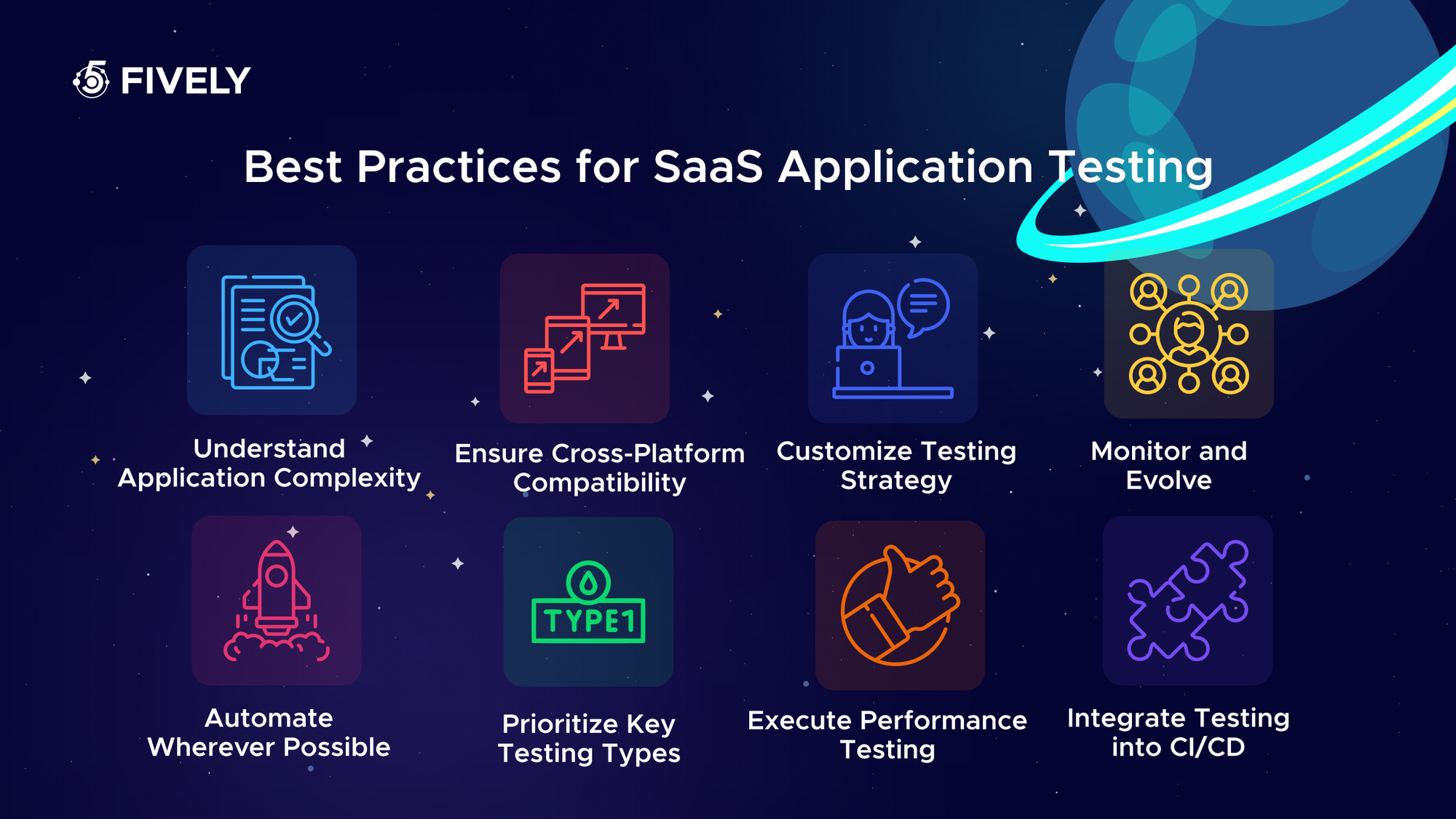
Understand Application Complexity
Every SaaS product is different, with unique architectures, integrations, and user flows. Before testing, map out the complexity of your system — including third-party APIs, data flows, and security requirements — to ensure nothing critical slips through.
Customize Testing Strategy
A one-size-fits-all approach won’t work. Tailor your testing plan based on your application’s domain (fintech, healthtech, eCommerce, etc.), user expectations, and release frequency. Prioritize what matters most to your customers.
Prioritize Key Testing Types
Focus first on testing areas with the highest impact: functional testing to ensure core features work, regression testing to protect existing functionality, security testing to safeguard data, and performance testing to handle scale.
Automate Wherever Possible
Automated tests should cover repetitive and high-volume scenarios like regression, smoke, and API testing. This reduces human error, saves time, and ensures your team can handle continuous deployments without burning out.
Integrate Testing into CI/CD
Testing shouldn’t happen in isolation. By embedding tests into your CI/CD pipeline, every code commit gets validated automatically, enabling faster releases and higher confidence in production stability.
Ensure Cross-Platform Compatibility
Users expect your SaaS product to run flawlessly on different browsers, devices, and operating systems. Always include cross-browser and real-device testing to confirm that UI, functionality, and performance are consistent everywhere.
Execute Comprehensive Performance Testing
Load, stress, and scalability testing are critical for SaaS apps with large or unpredictable user bases. Test under heavy traffic conditions to uncover bottlenecks and ensure your app remains responsive and stable.
Monitor and Evolve
Testing doesn’t end after deployment. Use monitoring tools to track performance, errors, and user behavior in real time. Continuously evolve your testing strategy to address new features, changing infrastructure, and emerging security threats.
Following these best practices ensures your SaaS testing isn’t just about catching bugs — it’s about delivering a product that is scalable, secure, and reliable in the fast-paced world of cloud applications.
 Services Account
Need Help With A Project?
Drop us a line, let’s arrange a discussion
Frequently Asked Questions
SaaS testing is the process of evaluating software delivered through the cloud (Software-as-a-Service) to ensure it is secure, scalable, and reliable. It covers functionality, performance, compatibility, and data protection, making sure users get a seamless experience regardless of device or location.
SaaS testing tools are cloud-based platforms that allow QA teams to run automated and manual tests on web and mobile applications. These tools handle tasks like cross-browser testing, API validation, performance monitoring, and security scanning — without requiring heavy on-premise infrastructure.
A strong SaaS testing methodology typically includes: Requirement analysis – mapping business and user needs. Test planning and strategy – choosing the right test types and coverage. Functional testing – verifying core features work correctly. Non-functional testing – ensuring performance, security, and usability. Continuous testing – embedding tests into CI/CD for ongoing quality assurance.
The main types include: Functional testing (validating core features); Regression testing (ensuring updates don’t break existing functionality); Performance testing (load, stress, scalability); Security testing (data privacy, compliance, penetration testing); Compatibility testing (cross-browser, cross-platform, real device checks); Usability testing (validating user experience and accessibility).
The SaaS testing approach focuses on cloud-first, continuous validation. It involves creating scalable test environments, automating repetitive tasks, ensuring compatibility across devices, and embedding QA into DevOps pipelines. Since SaaS apps evolve quickly, the approach emphasizes agility, real-time monitoring, and proactive defect prevention.


